
NetX Information Systems, Inc.
SimpleHelp
for Remote Support,
Remote Work,
and Lab Access
What SimpleHelp Does
SimpleHelp is powerful remote support, access, and management software built for IT teams, MSPs, and helpdesks. Technicians can connect, troubleshoot, and manage systems anywhere — on demand or unattended.
All-in-One Remote Support & Unattended Access
Delivers on-demand remote support sessions and always-on unattended access so teams can view, control, and maintain devices without physical presence.
Complete Remote Monitoring & Management
Beyond remote control — includes monitoring, custom alerts, automation, and tools for mass maintenance and diagnostics.
Secure Remote Access For Users
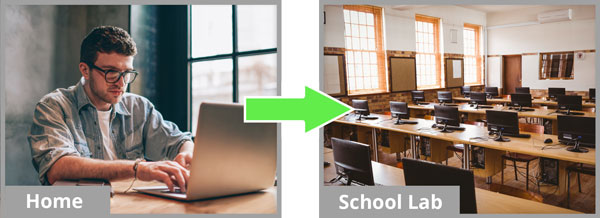
REMOTE WORK

REMOTE LAB ACCESS
Share Screens
Remotely
Connect to remote computers, view their
screens and control them.
Monitor and Access
Unattended Computers
Watch over thousands of computers,
monitor them and connect in if required.
No Monthly Fees
No Hassle
Purchase as many sessions as you need,
and upgrade whenever you like.
SimpleHelp® Suite of Products
Standard
1000
Presentation Attendees
Base Features
Remote Support, Remote Access, Mobile, Live Monitoring, Active Directory, Presentations, Video, Mass Deployment.
Business
Unlimited
Presentation Attendees
Base Features
Remote Support, Remote Access, Mobile, Live Monitoring, Active Directory, Presentations, Video, Mass Deployment, Alerts, Mass Toolbox.
Enterprise
Unlimited
Presentation Attendees
Base Features
Remote Support, Remote Access, Mobile, Live Monitoring, Active Directory, Presentations, Video, Mass Deployment, Alerts, Mass Toolbox, RADIUS, High availability Failover, RA clustering, Reporting.
Some Cool Features
Analytics
Monitor memory, disk space, and CPU usage.
Support
Connect to multiple simultaneous users and increase team productivity.
Remote Access
Connect to unattended computers. No firewall, NAT, router or proxy issues.
Secure Access
4096-bit RSA and 256-bit AES
secures all data for every session.
Speed
Connect faster, support faster
and innovate faster.
Record
Record remote sessions for later viewing.
Reliability
Avoid the possibility of unauthorized
access to sensitive information.
SimpleHelp® Overview
SimpleHelp® support local and remote users
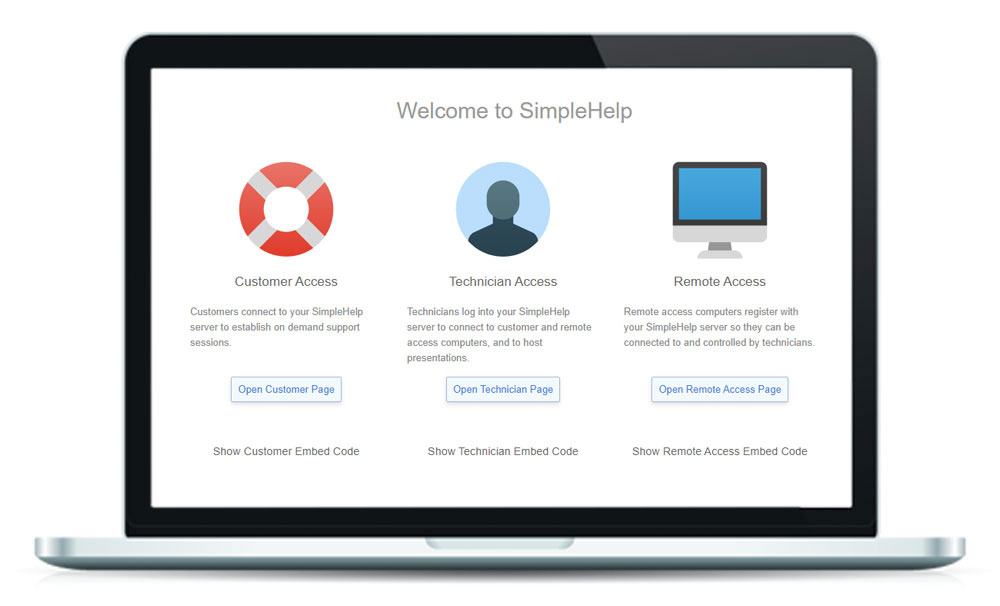
On-Demand, monitors remote systems and receives alerts when they need maintenance. SimpleHelp® is a stand-alone product and integrates with 3rd party solutions.
SimpleHelp Datasheet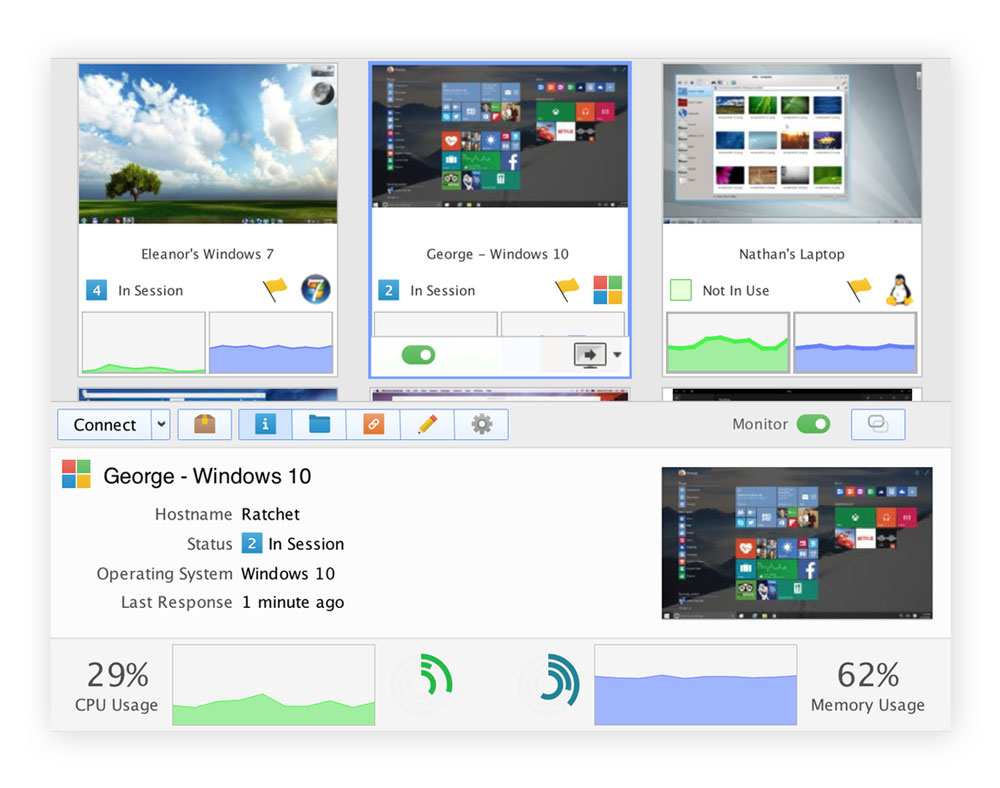
Introduction To SimpleHelp®
Review the features of the SimpleHelp Remote Control toolset.
Creating Alerts
Use Alerts to monitor and take automated corrective action.
SimpleHelp QuickStart
Basic configuration instructions tutorial.
SimpleHelp Agent Deployment
SimpleHelp agent deployment methods.
Upgrading SimpleHelp
Learn how to upgrade SimpleHelp.
SimpleHelp and KACE’s ServiceDesk Integration
Learn how SimpleHelp and KACE’s ServiceDesk Integrates.
Securely monitor support and remotely access your systems with SimpleHelp - webinar

Support Remote Users
Powerful tools increase team productivity
- Multiple simultaneous remote sessions allow you to connect to multiple users at the same time.
- Virtual queues of users let you specify which users a technician is able to view and support
- Transfer a session to a colleague to both support the same user.
- Create technician groups to simplify management of many technicians.
- Block user’s display and input to prevent them from interfering while you work.
- Session logs, history and advanced logging allow you get historical support related information.
- Multi-language, multi-locale support.
Monitor and Update Remote Computers
Continuously gather metrics
- CPU and memory utilization allow you to easily see what resources are being used.
- Continuously updating screenshots help keep track of remote machines without starting a session.
- Identify processes utilizing the most CPU to find out which applications are making your customers wait.
- Fetch and modify remote files and folders without starting a session.
- View the hostname, LAN IPs and WAN IP, and MAC addresses.
- Disk space across multiple drives helps identify when a disk is running low on disk space.
- Receive alerts based on pre-defined thresholds, such as system offine or Anti-Virus no longer running.
SimpleHelp
Complete the form below to get started.